Combined Ctrl+F search
On approved regular webpages, use one query for visible HTML text and completed image OCR results.
ImageTextFinder searches ordinary webpage text and locally recognized text inside images in one finder, then helps you review each location, select recognized words, or copy the OCR result.
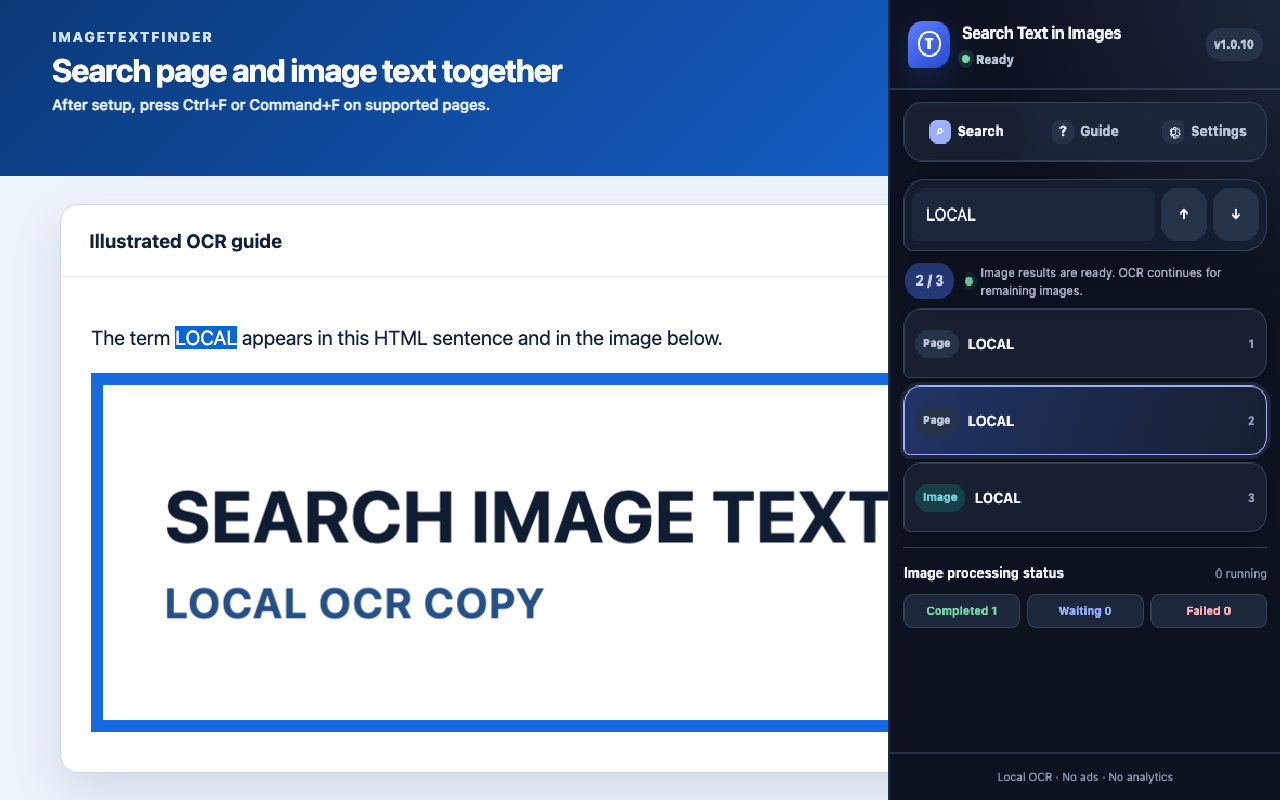
Stay on the webpage you are viewing. Search, inspect the original location, and copy recognized text without uploading the image to a separate OCR website.
On approved regular webpages, use one query for visible HTML text and completed image OCR results.
Move to an image result and review the matching area when recognition coordinates and confidence are safe.
Select recognized words with reliable coordinates, or copy the complete OCR text from an image.
Use HTML and completed image matches immediately while remaining images continue processing in your browser.
Follow focused instructions for setup, image-text search and copying, plus local OCR permissions and data handling.
Search terms and copied text are neither persisted nor transmitted. Image pixels are transient, while structured OCR results may use a bounded local cache.