Select cards and fields
Choose one card from a repeated list, then click the title, price, tag, rating, author, date, or another visible field.
Website List Filter lets you select a repeated card or row, choose a visible field, and build a reusable filter for the current webpage—all from Chrome’s Side Panel.
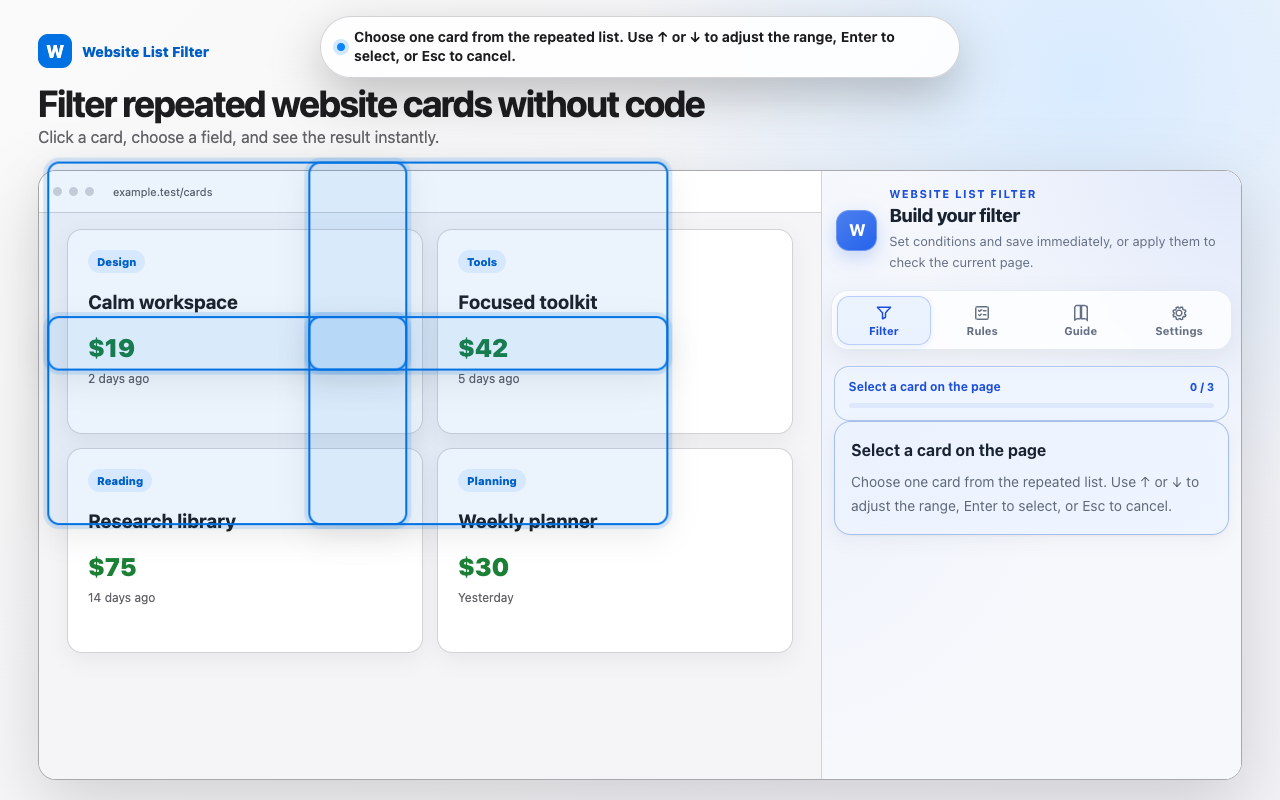
You do not need to write CSS, selectors, or JavaScript. The extension guides you from the page element you can see to a filter you can save and reuse.
Choose one card from a repeated list, then click the title, price, tag, rating, author, date, or another visible field.
Use text, number, price, and date comparisons. Combine conditions and field groups with AND or OR.
Keep matches, hide matches, highlight results, or sort a supported list by a selected field.
Apply a saved rule manually, or optionally approve that website for automatic application.
Start with a simple card filter, then learn advanced conditions and safe rule reuse.
Version 1 has no account, cloud sync, advertising SDK, analytics SDK, or developer backend. Rules and settings are stored in Chrome’s local extension storage.